Transform a wildlife photograph into a rich, painterly work of art in this 3-hour digital painting lesson.
Follow along as I take this peacock portrait from photograph to finished fine-art piece, building depth, texture, colour and beautiful feather detail while maintaining the character and structure of the original subject.
Throughout the lesson, I’ll show you how I approach the different textures of the peacock—from the soft flowing feathers of the body to the intricate details around the face, eye and crest—while creating the depth and tonal variation that gives the finished portrait its traditional painted appearance.
Not sure if this lesson is right for you?
Watch this 3.5-minute preview to get a feel for the techniques, instruction and painting process you'll experience in the full 3-hour lesson.
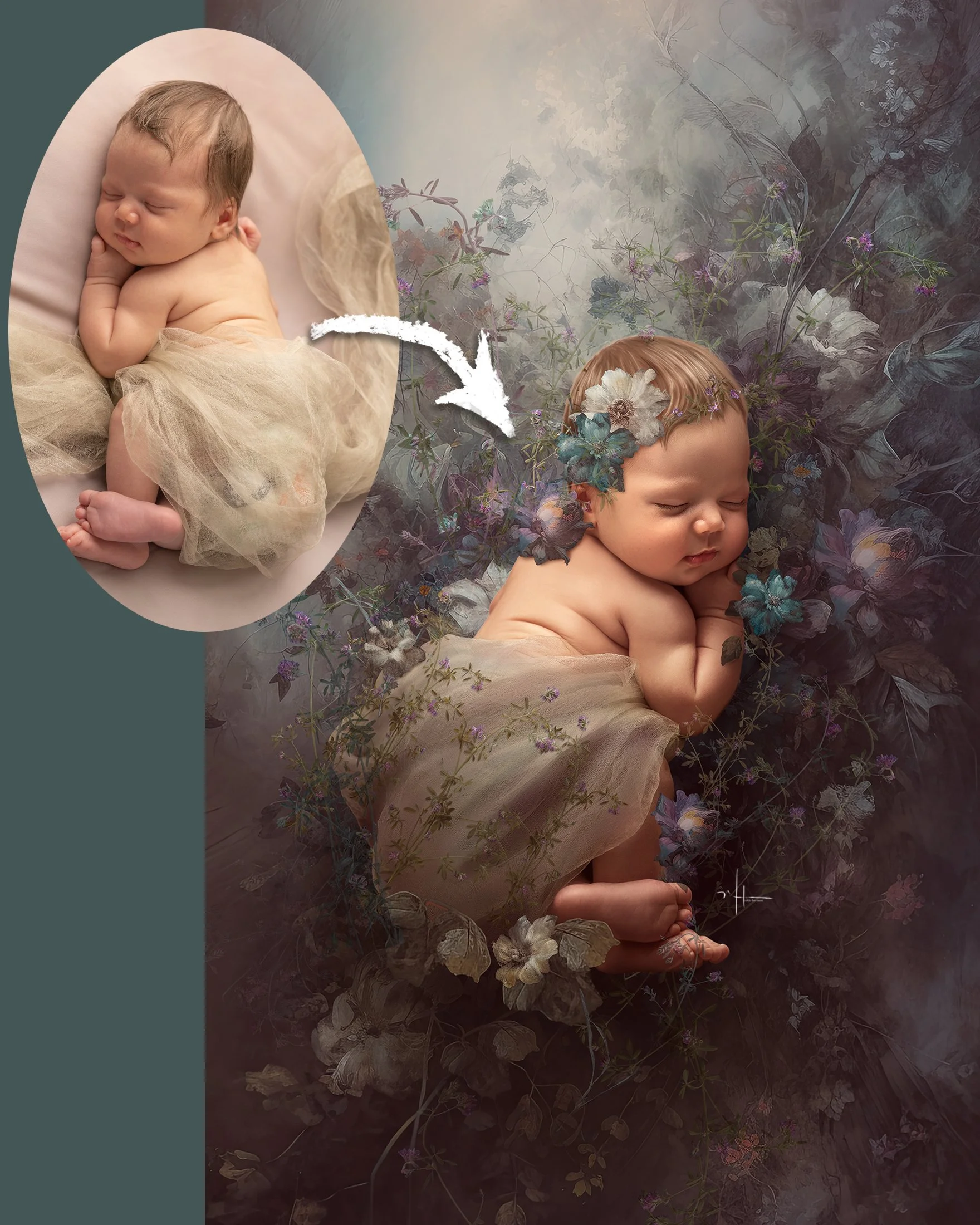
See how I work directly with the photograph using Photoshop brushes, the Pattern Stamp Tool and hand-painting techniques to gradually transform photographic detail into a finished fine-art portrait.
We’ll also work on integrating the subject into a rich, painterly background so the final image feels like one cohesive piece of artwork rather than a photograph placed over a backdrop.
These techniques aren't limited to birds. The same methods can be adapted to wildlife, pets and other fine-art animal portraits, making this a wonderful addition to your digital painting toolkit.
In this 3-hour lesson, you'll explore:
Painting and enhancing feather texture while retaining natural detail
Creating dimension with highlights, shadows and colour
Developing expressive detail around the face and eye
Using the Pattern Stamp Tool creatively to build painterly texture
Blending photographic detail with hand-painted elements
Creating a rich, atmospheric fine-art background
Colour grading and finishing techniques to bring the entire artwork together
Brushes used:
Nikki's Fav Brushes Set
Pattern Stamp Tool Set (No Tools Set)
Optional Software:
Exposure — used for additional finishing and creative effects, but not required to complete the lesson.
Lesson Length: Approximately 3 Hours
Whether you're interested in painting wildlife, birds, pets or simply want to expand your Photoshop painting skills, this lesson is designed to help you move beyond simply applying effects and begin making intentional artistic choices with every brushstroke.
Transform a wildlife photograph into a rich, painterly work of art in this 3-hour digital painting lesson.
Follow along as I take this peacock portrait from photograph to finished fine-art piece, building depth, texture, colour and beautiful feather detail while maintaining the character and structure of the original subject.
Throughout the lesson, I’ll show you how I approach the different textures of the peacock—from the soft flowing feathers of the body to the intricate details around the face, eye and crest—while creating the depth and tonal variation that gives the finished portrait its traditional painted appearance.
Not sure if this lesson is right for you?
Watch this 3.5-minute preview to get a feel for the techniques, instruction and painting process you'll experience in the full 3-hour lesson.
See how I work directly with the photograph using Photoshop brushes, the Pattern Stamp Tool and hand-painting techniques to gradually transform photographic detail into a finished fine-art portrait.
We’ll also work on integrating the subject into a rich, painterly background so the final image feels like one cohesive piece of artwork rather than a photograph placed over a backdrop.
These techniques aren't limited to birds. The same methods can be adapted to wildlife, pets and other fine-art animal portraits, making this a wonderful addition to your digital painting toolkit.
In this 3-hour lesson, you'll explore:
Painting and enhancing feather texture while retaining natural detail
Creating dimension with highlights, shadows and colour
Developing expressive detail around the face and eye
Using the Pattern Stamp Tool creatively to build painterly texture
Blending photographic detail with hand-painted elements
Creating a rich, atmospheric fine-art background
Colour grading and finishing techniques to bring the entire artwork together
Brushes used:
Nikki's Fav Brushes Set
Pattern Stamp Tool Set (No Tools Set)
Optional Software:
Exposure — used for additional finishing and creative effects, but not required to complete the lesson.
Lesson Length: Approximately 3 Hours
Whether you're interested in painting wildlife, birds, pets or simply want to expand your Photoshop painting skills, this lesson is designed to help you move beyond simply applying effects and begin making intentional artistic choices with every brushstroke.
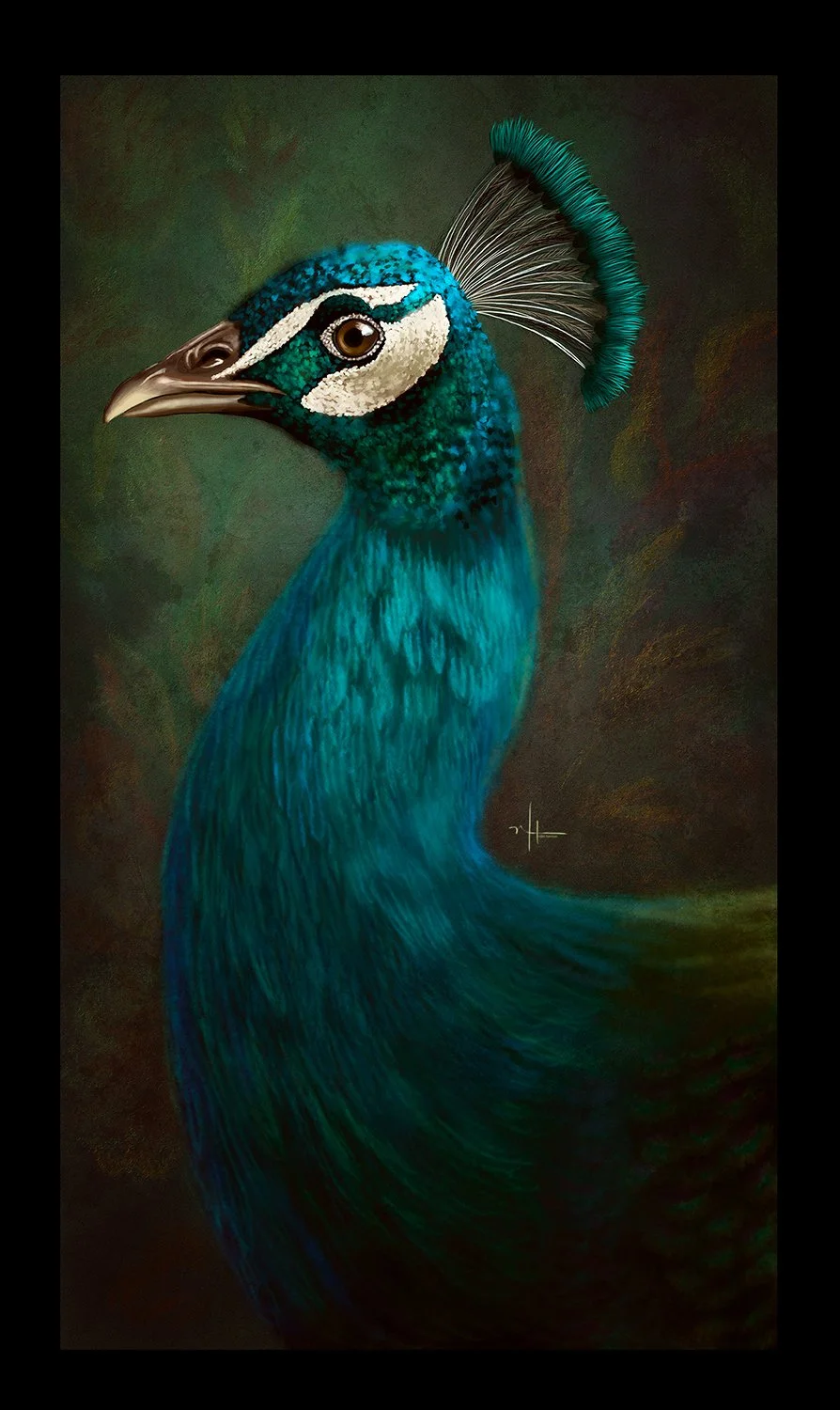 Image 1 of 1