Romantic Painterly Portrait | Photoshop Painting Lesson
Transform a photograph into a romantic, expressive fine art painting using Adobe Photoshop.
In this approximately two-hour painting lesson, I'll take you through my creative process of transforming a photographic portrait into a beautiful, painterly work of art filled with rich colour, atmospheric lighting, and expressive brushwork.
Inspired by the loose, romantic qualities of traditional oil painting, we'll explore how to move beyond photographic detail and create something that feels genuinely painted.
One of the featured techniques in this lesson is what I call Colour-Infused Pattern Painting — a creative approach that combines traditional brushwork with Photoshop's Pattern Stamp Tool.
You'll see how I introduce additional warm and cool colours into the original fabric before using textured brushes with the Pattern Stamp Tool to reinterpret those colours into loose, expressive strokes. It's a wonderful way to retain the natural structure of fabric while creating a more artistic, painterly finish.
What You'll Learn
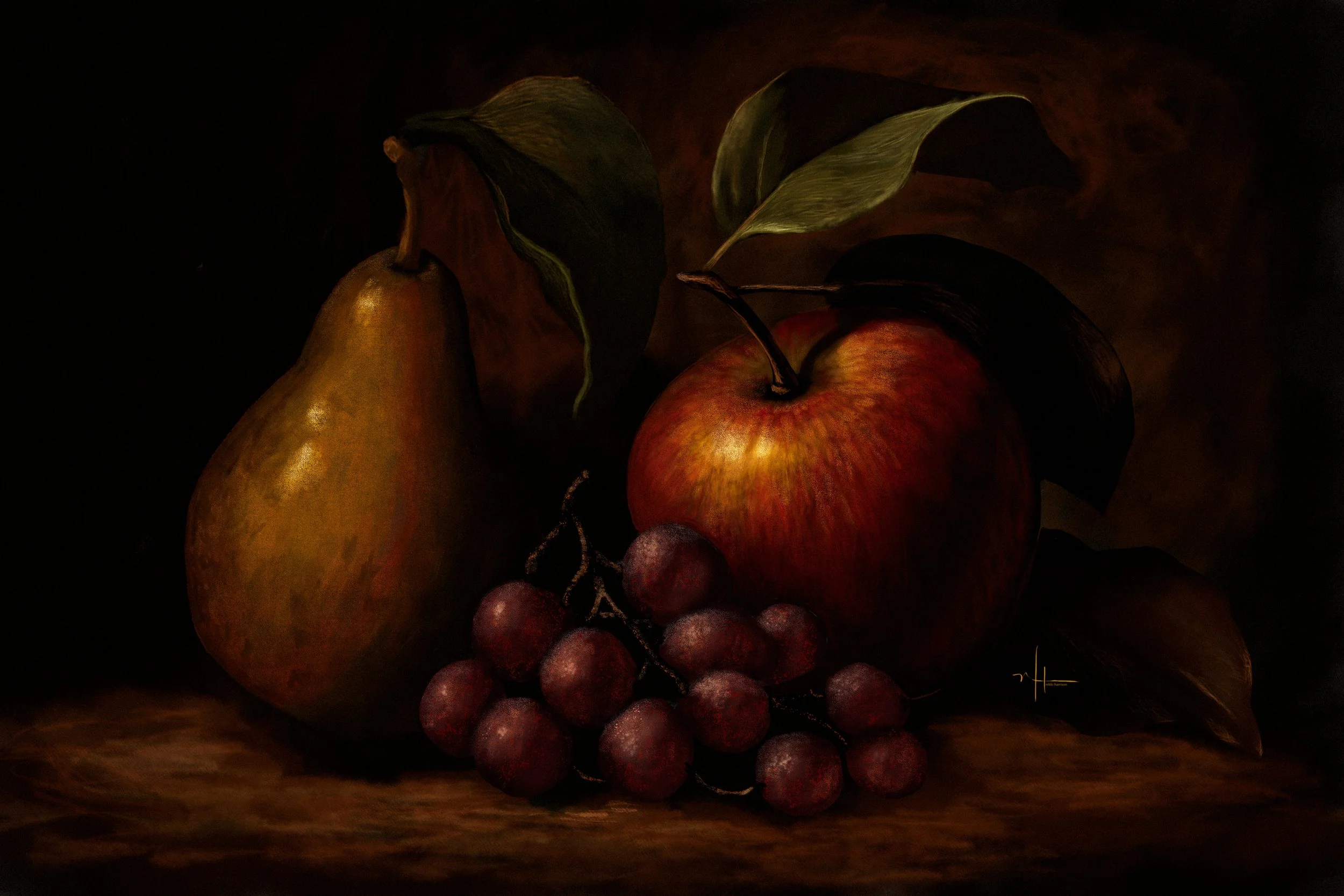
How to transform a photographic portrait into a romantic, traditional oil-painting-inspired artwork.
How to create a soft, atmospheric background with rich, harmonious colour.
How to simplify photographic details while preserving beautiful form and dimension.
How to introduce warm and cool colour variations to create more expressive fabric.
My Colour-Infused Pattern Painting technique using Photoshop's Pattern Stamp Tool and textured charcoal brushes.
How to balance refined details with loose, expressive brushwork.
How to bring the entire painting together with finishing touches and colour grading.
What's Included
Approximately 2 hours of step-by-step video instruction.
Original subject photograph so you can paint along.
Reference image used for creative inspiration.
Brushes & Actions Used (Not Included)
The following products from my collection are demonstrated in this lesson and are available separately:
Who Is This Lesson For?
This lesson is ideal for artists and photographers who are familiar with Photoshop and want to explore a more expressive approach to digital painting.
Rather than concentrating on perfectly reproducing every photographic detail, we'll focus on colour, texture, light, and the freedom of painterly brushwork.
Discover how beautiful things can happen when you loosen up, experiment with colour, and let your brushes do the talking!
Romantic Painterly Portrait | Photoshop Painting Lesson
Transform a photograph into a romantic, expressive fine art painting using Adobe Photoshop.
In this approximately two-hour painting lesson, I'll take you through my creative process of transforming a photographic portrait into a beautiful, painterly work of art filled with rich colour, atmospheric lighting, and expressive brushwork.
Inspired by the loose, romantic qualities of traditional oil painting, we'll explore how to move beyond photographic detail and create something that feels genuinely painted.
One of the featured techniques in this lesson is what I call Colour-Infused Pattern Painting — a creative approach that combines traditional brushwork with Photoshop's Pattern Stamp Tool.
You'll see how I introduce additional warm and cool colours into the original fabric before using textured brushes with the Pattern Stamp Tool to reinterpret those colours into loose, expressive strokes. It's a wonderful way to retain the natural structure of fabric while creating a more artistic, painterly finish.
What You'll Learn
How to transform a photographic portrait into a romantic, traditional oil-painting-inspired artwork.
How to create a soft, atmospheric background with rich, harmonious colour.
How to simplify photographic details while preserving beautiful form and dimension.
How to introduce warm and cool colour variations to create more expressive fabric.
My Colour-Infused Pattern Painting technique using Photoshop's Pattern Stamp Tool and textured charcoal brushes.
How to balance refined details with loose, expressive brushwork.
How to bring the entire painting together with finishing touches and colour grading.
What's Included
Approximately 2 hours of step-by-step video instruction.
Original subject photograph so you can paint along.
Reference image used for creative inspiration.
Brushes & Actions Used (Not Included)
The following products from my collection are demonstrated in this lesson and are available separately:
Who Is This Lesson For?
This lesson is ideal for artists and photographers who are familiar with Photoshop and want to explore a more expressive approach to digital painting.
Rather than concentrating on perfectly reproducing every photographic detail, we'll focus on colour, texture, light, and the freedom of painterly brushwork.
Discover how beautiful things can happen when you loosen up, experiment with colour, and let your brushes do the talking!
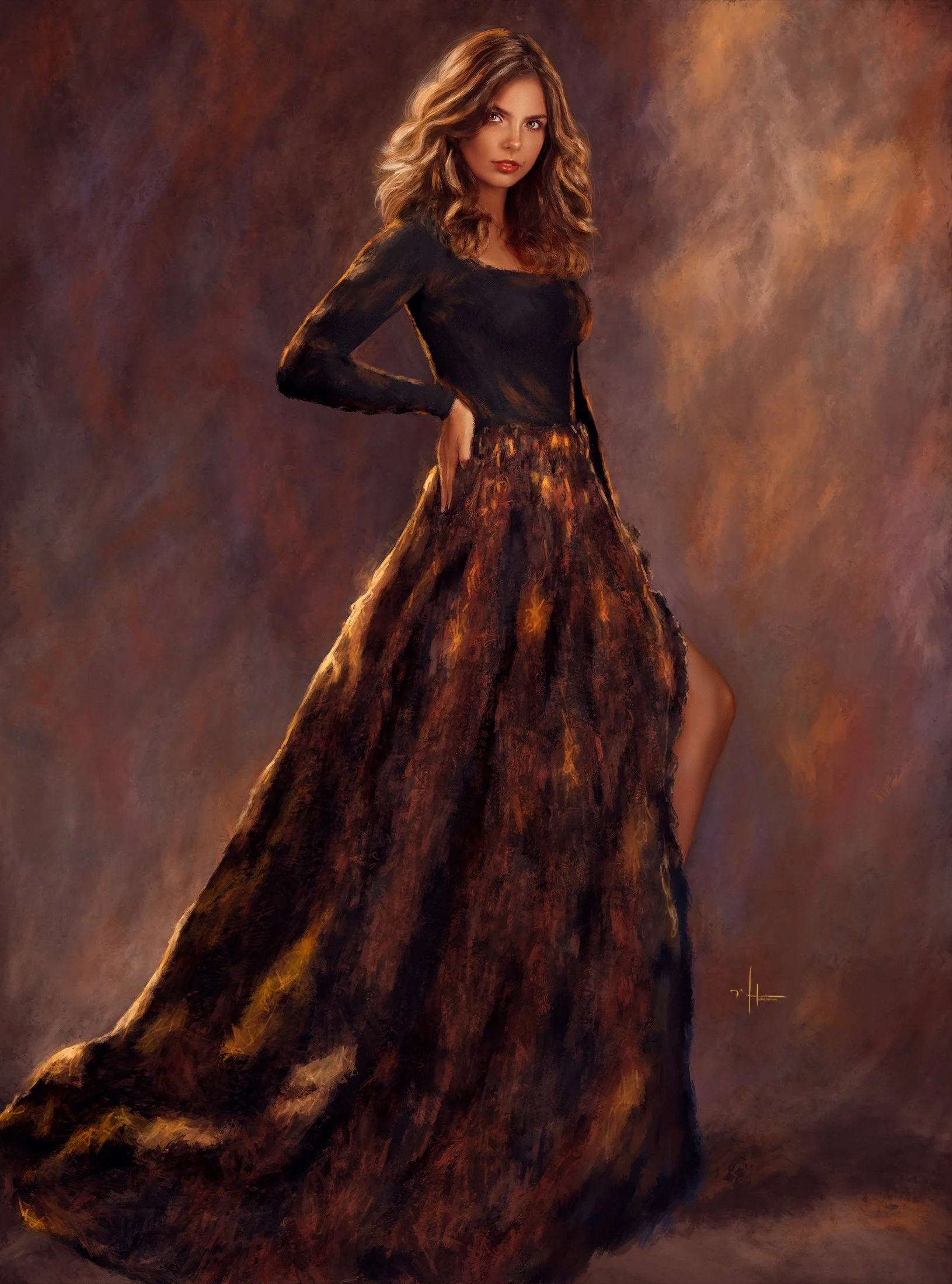 Image 1 of 2
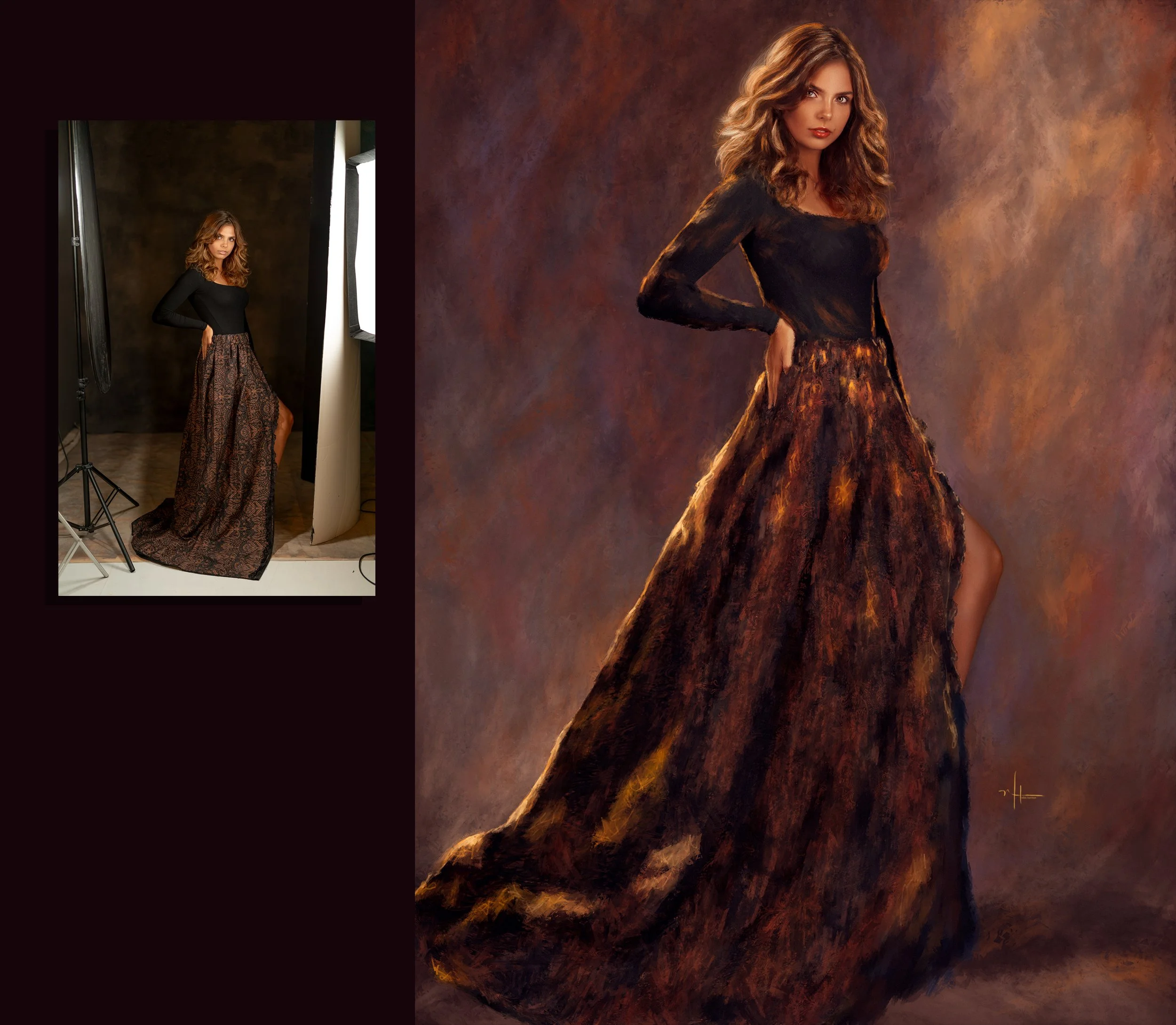 Image 2 of 2